Skip to content

After several months of using CrewTracks, many contractors start to see the real value of having their field and office connected in one place. As you should be able to tell, CrewTracks helps contractors simplify daily processes, improve jobsite communication, and gain better visibility into labor costs. As your team gets more comfortable with the system, a few simple best practices can help you get even more value from your jobsite management tools.
Here are a few ways to make sure you’re using CrewTracks to its full potential.
Keep Time Tracking Consistent
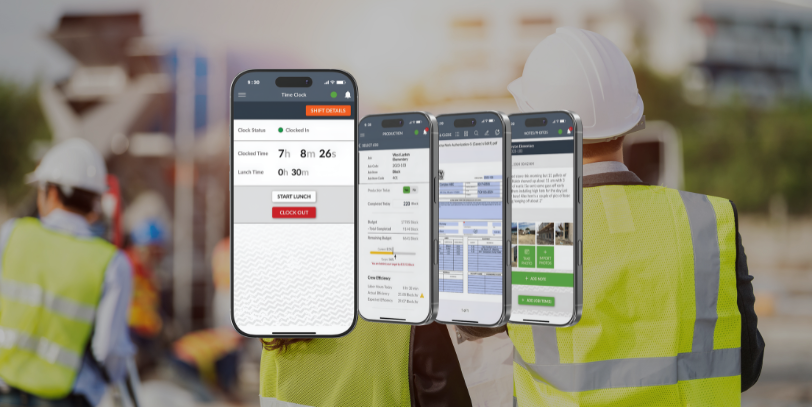
Accurate time tracking is one of the most important pieces of job costing. Encourage your crews to clock in and out through CrewTracks every day and make sure time is assigned to the correct job and cost code.
Consistent time tracking helps you:
- Understand true labor costs
- Identify where jobs are gaining or losing margin
- Reduce guesswork when reviewing project performance
Using construction time tracking software like CrewTracks ensures that labor hours are recorded in real time, giving your team more accurate data for job costing and project management.
Use Daily Notes to Document Jobsite Activity
Daily job site notes are one of the easiest ways to keep everyone informed. Employees, foremen, and supervisors can quickly document progress, delays, material deliveries, or anything else that happens on the job.
Over time, these notes become a valuable record that can help you:
- Answer customer questions
- Track project progress
- Protect your company if disputes arise
CrewTracks simplifies contractor field reporting by keeping jobsite notes organized and accessible for both the field and the office.
Capture Jobsite Photos
Photos provide visual documentation that words alone can’t always capture. Encourage your team to take photos throughout the job—before work begins, during key milestones, and when work is completed.
Photos can help you:
- Show progress to customers
- Document completed work
- Track jobsite conditions
By combining notes and photos in one place, CrewTracks improves contractor field reporting and makes it easy to maintain clear jobsite documentation.
Keep Jobs and Cost Codes Organized
The more organized your jobs are in CrewTracks, the easier it is to track performance. Make sure jobs are set up correctly and that cost codes match the way your company tracks work in the field.
Clear organization within your jobsite management system helps you:
- Track labor against specific phases of work
- Improve reporting
- Gain better insights into project performance
Connect the Field and Office
CrewTracks works best when it becomes the bridge between your field crews and your office team. When crews log time, add notes, and upload photos regularly, everyone has access to the same information.
This improves jobsite management by:
- Reducing phone calls and back-and-forth communication
- Keeping projects moving forward
- Giving project managers better visibility into what’s happening in the field
Keep Building Better Workflows
The most successful contractors treat CrewTracks as part of their daily workflow. When crews consistently track time, document the jobsite, and keep information organized, it becomes much easier to manage projects and make informed decisions.
By following these best practices, contractors can get the most out of their construction time tracking software, improve contractor field reporting, and strengthen their overall jobsite management process.