Skip to content

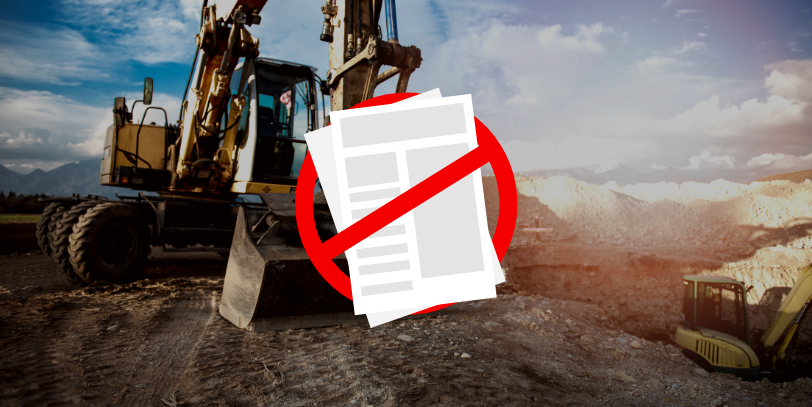
“Going paperless” sounds like a simple switch. Replace the paper with an app, and you are done. Most subcontractors who try it find out quickly that their job site runs on more paper processes than they realized, and that replacing them all at once is a reliable way to create a different kind of problem.
This is a practical guide to what going paperless actually means for a subcontractor crew: what you are replacing, what order to do it in, what breaks when you do it wrong, and what 90 days in looks like when you do it right.
What You Are Actually Replacing
When you go paperless on a job site, you are not replacing “paper.” You are replacing a set of specific paper processes that each have their own workflows and failure points. For most subcontractors, that means:
- Timecards. Weekly or bi-weekly sheets workers fill out and hand in. For most offices, this is the highest-pain paper process.
- Daily reports. End-of-day summaries the foreman fills out from memory, usually in the truck before driving home.
- Documents. Safety forms, change order acknowledgments, employee certifications, safety sign-offs. Paper that needs to be signed, stored, and retrievable when you need it.
- Crew notes and production logs. Informal records of what got done on site. Often not documented at all, which means they do not exist when you need them later.
Each one is a different paper process with a different owner and different consequences when it fails. Replacing all of them at once without a plan is how paperless transitions fall apart.
Where to Start
Start with timecards. Not because it is the easiest, but because it has the fastest and most measurable return.
Timecards are where the biggest errors accumulate and where the office spends the most time on correction and follow-up. When you replace paper timecards with digital clock-in from the job site, you eliminate memory-based reconstruction, rounding errors, and the job code mistakes that make payroll a Friday afternoon problem every week.
Customers who switch to digital time tracking with CrewTracks typically save 4 to 30 hours per week on the office side of payroll, from not having to chase down and correct inaccurate timecards. Ron Schulte Masonry cut foreman time spent on field paperwork from 15 hours per week to 8 hours per week.
Once timecards are working, add daily reports. The crew is already using the app to clock in. The foreman is already in the system at end of day. Adding the daily report to that workflow is a short second step, not a separate change management effort.
What Makes a Crew Actually Adopt It
The most common reason paperless transitions stall is that the digital tool is harder to use than the paper it replaces. If clocking in on an app takes longer than writing your name and hours on a sheet, the crew will find workarounds.
What drives adoption is simplicity: one tap to clock in, one tap to select the job, done. The app needs to work on the phones your crew already has, in the conditions they work in: spotty cell service, dirty hands, gloves, cold mornings.
The initial hesitation from field crews is real and worth planning for. Matt Stoner at N. Piccoli Construction described it directly: “Despite initial hesitation about changing our processes, the transition was seamless. They work with you to build a custom platform that works for your company.” That pattern is common when the tool is genuinely simpler than what it replaced. Resistance is fastest when the app is easier than the paper.
Common Mistakes When Going Paperless
Two mistakes come up repeatedly.
Digitizing a broken process instead of fixing it. If your paper timecard workflow is already chaotic, a digital timecard workflow will give you a faster version of the same chaos unless you also clean up the underlying process: who submits by when, what happens when something is missing, who reviews before payroll runs.
Picking a tool built for general contractors. GC software is designed around project schedules, submittals, and GC-to-sub communication. Subcontractor operations run on crew time, production by trade, and daily reports that connect directly to payroll. Tools built for GCs often have too much complexity for field crews and are missing the production tracking that subs actually need. Pick a tool built for how your operation works, not how a GC’s office works.
What 90 Days In Looks Like
At 90 days, the process is normal. Crew members clock in from their phones without thinking about it. Daily reports come in from every site by 6 PM. Payroll closes without anyone chasing down timecards. Documents are signed digitally and stored where you can actually find them.
The numbers that move most visibly: payroll accuracy improves, admin hours drop, and the end-of-week scramble largely disappears. Terra West cut their field data collection time from 10 hours per week to 1 hour per week and saw a 95 percent improvement in timecard accuracy after switching to CrewTracks.
How CrewTracks Fits
CrewTracks handles the hardest parts of going paperless for subcontractors: GPS time tracking, daily reports, production tracking, and document management with digital sign-off, all in one app. Field workers use one app. The office sees everything in real time.
The foreman app is the entry point. If the foreman can do their job in the app without extra steps, adoption follows. CrewTracks field crews rate the app 8.6 out of 10 for ease of use, based on survey data from customers who have been running crews on it for more than a year.
Going paperless is not a one-day project. But the first step is straightforward: replace paper timecards with digital clock-in and give it 30 days. The rest usually follows from there.
Talk to us about where to start for your crew size and trade.