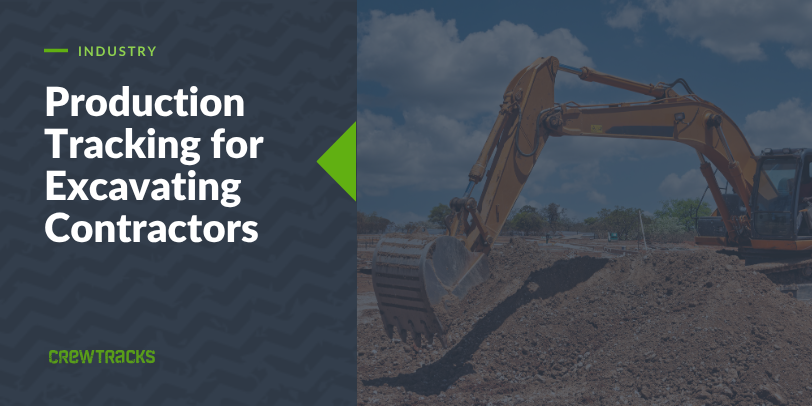
Excavating jobs get bid in cubic yards. Yards of cut, yards of fill, sometimes tons hauled or linear feet of trench dug. Whatever the unit, it is almost never just hours. Excavation contractor software that only tracks hours is missing the number the bid was actually built on.
That gap is where excavating contractors lose margin without seeing it happen. A crew can log a full week of accurate hours and still be running behind the cubic yards the job needs, and nobody in the office finds out until the dirt is already moved and the job is closed.
How Excavating Crews Typically Track Time Today
Most excavating crews are still running on paper timecards, with load counts or truck tickets tracked separately, if they are tracked at all. The foreman does the math whenever the office finally asks for it, usually well after the fact.
By the time hours and yardage actually get compared, the job that ran over is already closed. There is nothing left to adjust, because the crew and the equipment have already moved on.
What Excavating Time Tracking Actually Needs
For an excavating contractor, a time tracking setup needs to cover four things:
- GPS clock-in per job site, since crews and equipment often move between cuts or sites in the same day
- Production entry alongside the timecard, in whatever unit the job was bid in: cubic yards, tons, linear feet of trench, or something else entirely
- Job-level assignment, so hours and production tie to the right job instead of a general bucket
- A daily report tied to the work, capturing what the crew moved and any conditions that slowed it down
Without the production piece, hours alone do not tell you whether the job is on pace with the bid.
The Production Tracking Angle
Here is why production tracking matters specifically for excavating:
If a job is bid at a certain number of cubic yards moved per day, and the field data shows the crew falling behind that rate, you need to know that the same day, not when the job closes out. Comparing yards moved against a bid rate while the work is still happening is what catches an overrun before it eats the whole margin.
CrewTracks does not force a preset unit on you. A foreman can define cubic yards, tons, linear feet of trench, or whatever measure the bid was built on, and log actual output against it as the job runs. The production module shows that as a bar graph: budgeted units against actual units, visually, while the job is in progress.
That graph stays in units. It does not calculate a dollar figure or a labor cost on its own. What it shows you is whether the crew is ahead of or behind the bid right now, which is enough to add equipment, adjust the crew, or have a conversation with the GC while there is still time to change the outcome. We have written more about how production tracking works on a job site in general, and the same mechanism applies here.
Why Generic Time Apps Fall Short
Generic time tracking apps have no place to log cubic yards, tonnage, or trench footage. There is nothing to compare against a bid rate. Most were not built with an equipment-heavy crew that moves between cuts and job sites in mind, and GPS clock-in, if it exists at all, is an afterthought.
You end up running yardage in one place, whether that is a truck ticket, a spreadsheet, or somebody’s memory, and hours in another. Neither system talks to the other, and the office is left doing the reconciliation by hand.
How CrewTracks Works for Excavating Crews
CrewTracks connects the field and the office in one app. Crews clock in from their phone, GPS-verified to the job site. The foreman logs production in whatever unit the job tracks: cubic yards moved, tons hauled, linear feet of trench, or anything else that matches how the job was bid. There is no fixed list to pick from. You define the unit, and the system captures it.
Daily reports are tied to the same job record, so the office sees hours and production together, in real time, while the job is running instead of reconstructed after the fact.
Alex Swayze at Maui One Excavating, Inc. put it this way after implementing CrewTracks:
“I highly recommend implementing CrewTracks. The continual benefits from the program will grow with a company and provide live insights for company owners and management that translates into huge savings.”
Alex Swayze, Maui One Excavating, Inc.
You already know how the job was bid and what it takes to move that much dirt. We are not asking you to change how you run a cut. We are making sure the data behind it keeps up, so you find out about a problem while the job is still running, not after it closes.
If you run an excavating crew and want to see what this looks like for how your jobs are bid, talk to the team.